
Audiobook Machine Version 2 with ESP-32
Posted on:
The Project
Several years ago, I built an audiobook machine using a Raspberry Pi and RFID cards (see the YouTube video about the project). My daughter has been using it almost every night. I recorded more than 50 different stories, and it quickly became a hit.
However, the machine was clunky. It had a few issues with wires disconnecting, and while the RFID cards were an interesting idea, they made creating new stories more complex. Still, we all love it. Now that my son is getting older, he is also interested in listening to audiobooks before going to sleep.
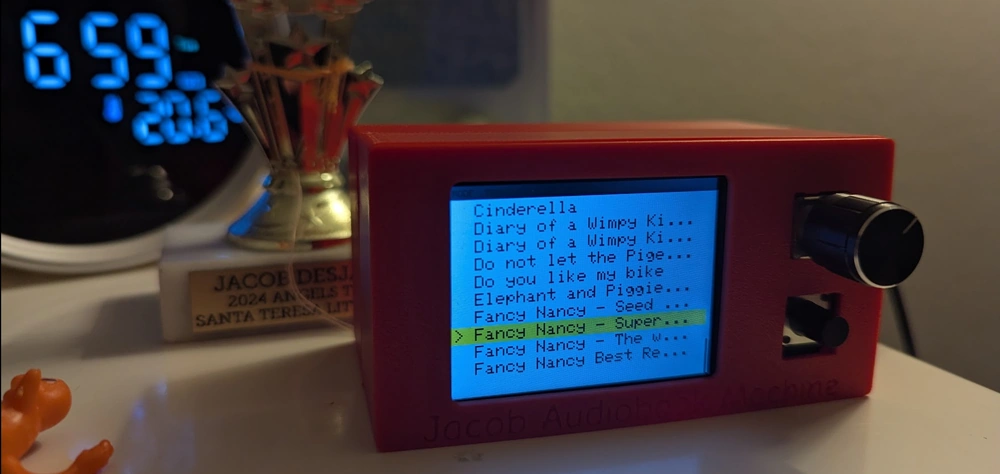
This time, I wanted something that I could modify rapidly and that did not require as many components. The previous project had its own speakers, but all our rooms already have Google Home devices. In this new project, the machine is smaller, built around an ESP-32, and relies on sending the audiobook to the appropriate Google Home speaker.
The architecture
The architecture is more complex, but it makes the physical machine much simpler. The device itself is only a thin client that receives a list of available tracks and playback devices. It lets my son select an audiobook and then delegates the playback to Google Home.
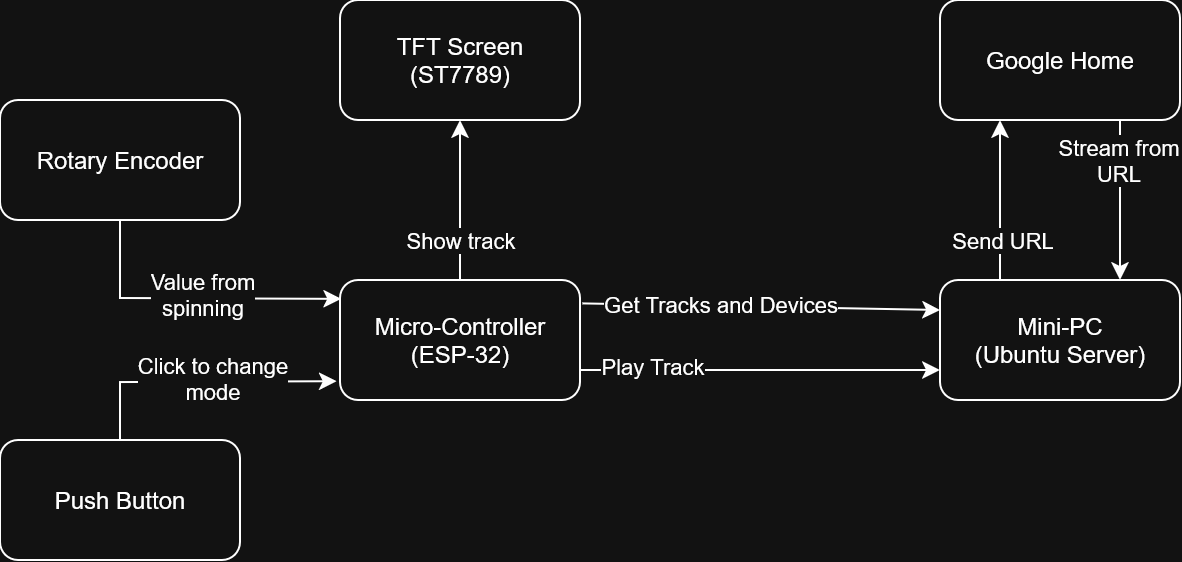
To make this work, part of the system runs server-side on a private network. A few months ago, I acquired a simple $150 mini-PC, roughly the size of a Mac Mini. I installed Ubuntu Server on it, and it now hosts several projects.
For this project, a Python HTTP server provides the list of available tracks and the list of playback devices. It also exposes an HTTP endpoint to play a specific track on a selected device. When invoked, the server sends a signal to the appropriate Google Home, along with a link to the server so it can stream the MP3 file.
Challenges
This project was challenging because of the limitations of the ESP-32. When running the UI alone, everything worked fine. However, once I added network connectivity, even over the local network, the system started to misbehave. The display would freeze and sometimes turn completely white.
After struggling for a while (and getting limited help from AI), I decided to simplify the workflow: first connect to Ethernet to retrieve the list of audiobooks from the mini-PC, then close the connection and render the UI. When a track is selected, the device reconnects to the network to trigger playback.
This approach worked, but it came with drawbacks. I could not display a loading animation, and the repeated connections introduced noticeable delays.
After a few more iterations, I found a YouTube video explaining that the ESP-32 can use dual SPI buses. By running the TFT display on HSPI and using VSPI for the Ethernet connection, the contention issue could be avoided. The main challenge was modifying the Arduino TFT_eSPI library and enabling the #define USE_HSPI_PORT flag.
The flag is commented with instructions, but for someone unfamiliar with the library, it is not immediately obvious. The video that helped me the most is this one.
Final Version
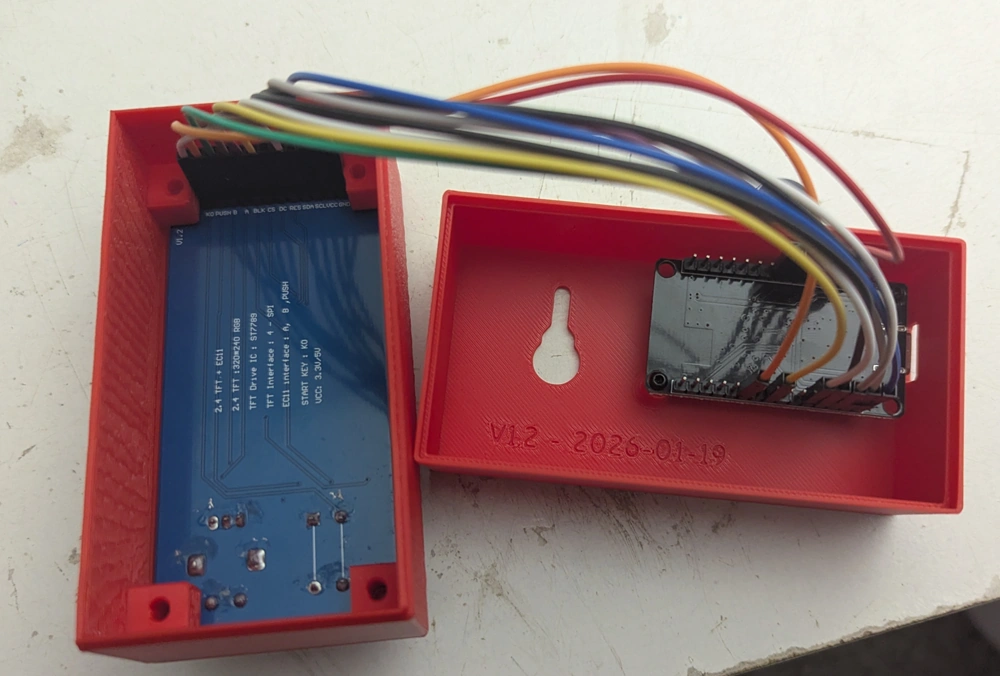
I recorded a video of the ESP-32 driving the TFT display. It works well, and I already have a newer version that clears only specific parts of the screen, which significantly reduces flickering. I created the enclosure with the free online software OnShape and printed on a Bambu PS2.
The final version is running in the background as I write this article. My son is using it to listen to the same MP3s I originally recorded for his sister’s audiobook machine. I can already see many future improvements and plenty of opportunities to expand on this project.