
Making a Systemd Journal Dashboard
Posted on:
Journal
I’m running several projects on my mini PC:
- Discord bot
- YouTube Radio
- My personal note-taking server using Trilium
- An AI RAG system I developed for Trilium
- A Google Home audiobook service
All of them write their logs to the Linux systemd journal.
To inspect logs, I had to manually SSH into the mini PC and query each service one by one. Additionally, I could only do this from within my local network. It worked, but it was inconvenient.
Solution
I decided to stream the logs to a static web page using WebSockets.
The solution requires a minimal Python backend to handle the WebSocket connections. The implementation is intentionally lightweight.
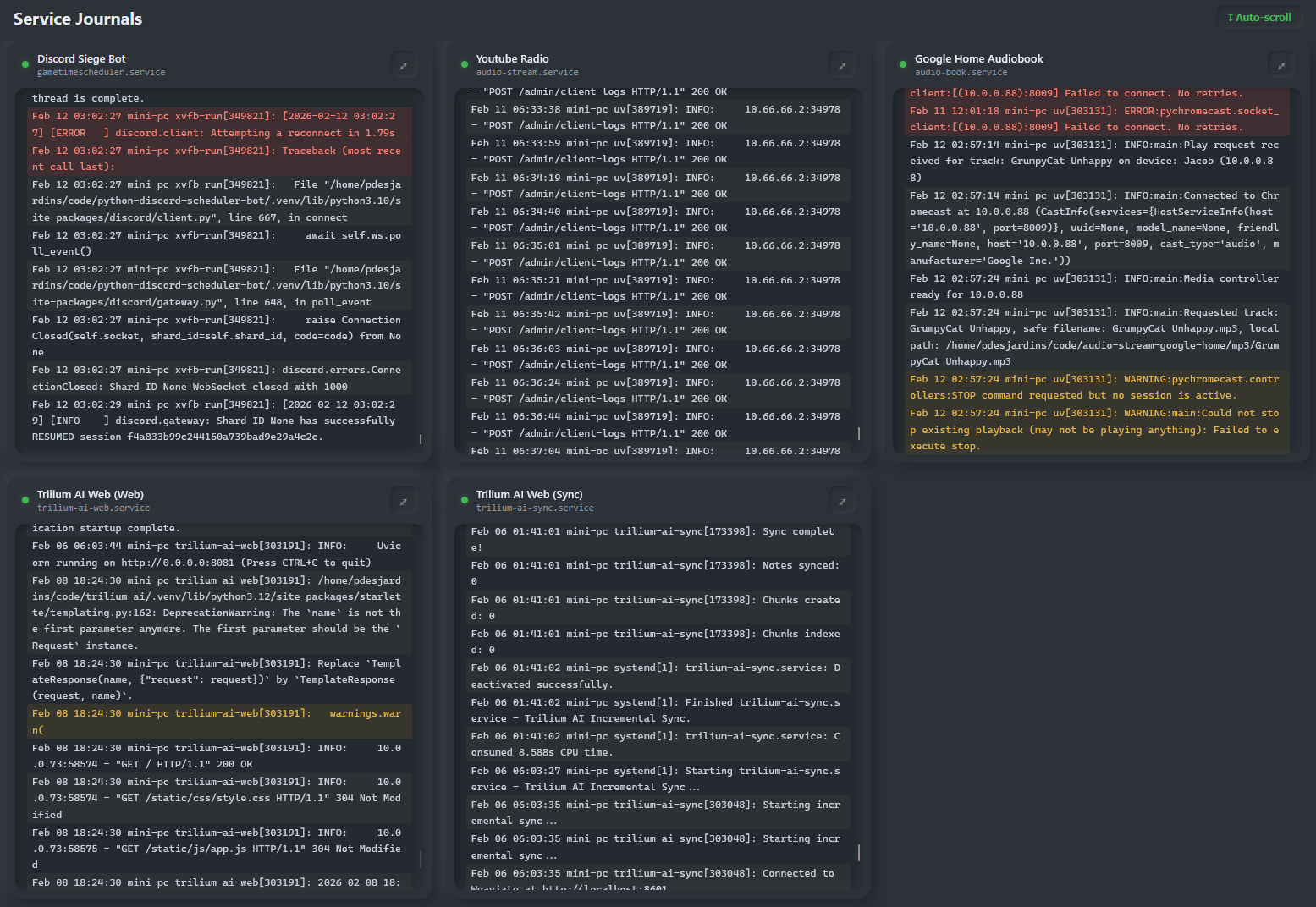
The backend exposes two endpoints:
- A REST endpoint to list the services
- A WebSocket endpoint to stream logs for a specific systemd unit
@app.get("/api/services")
async def get_services() -> JSONResponse:
    return JSONResponse([{"name": s.name, "unit": s.unit} for s in config.services])


@app.websocket("/ws/{unit}")
async def ws_journal(websocket: WebSocket, unit: str) -> None:
    if unit not in allowed_units:
        await websocket.close(code=4001, reason="Unknown unit")
        return

    await websocket.accept()

    try:
        async for line in stream_journal(unit, config.settings.lines):
            await websocket.send_text(line)
    except WebSocketDisconnect:
        pass
And a Python function to stream:
async def stream_journal(unit: str, lines: int) -> AsyncGenerator[str, None]:
    process = await asyncio.create_subprocess_exec(
        "journalctl",
        "-u",
        unit,
        "-n",
        str(lines),
        "-f",
        "--no-pager",
        stdout=asyncio.subprocess.PIPE,
        stderr=asyncio.subprocess.DEVNULL,
    )

    try:
        assert process.stdout is not None
        async for line in process.stdout:
            yield line.decode("utf-8", errors="replace").rstrip("\n")
    finally:
        process.kill()
        await process.wait()
On the client side, the application opens one WebSocket connection per service. There is additional UI logic, but the core behavior looks like this:
function connectWebSocket(service, logContainer, statusLine, indicator) {
  const proto = location.protocol === "https:" ? "wss:" : "ws:";
  const ws = new WebSocket(`${proto}//${location.host}/ws/${service.unit}`);

  ws.onopen = () => {
    statusLine.textContent = "Connected. Waiting for logs...";
    indicator.className = "indicator connected";
  };

  ws.onmessage = (event) => {
    if (statusLine.parentNode) {
      statusLine.remove();
    }
    const line = document.createElement("div");
    const text = event.data;
    const lower = text.toLowerCase();
    let cls = "line";
    if (/\b(error|crit|alert|emerg|fatal|exception|traceback)\b/i.test(text)) {
      cls += " error";
    } else if (/\b(warn|warning)\b/i.test(text)) {
      cls += " warn";
    }
    line.className = cls;
    line.textContent = text;
    logContainer.appendChild(line);

    if (autoScroll) {
      logContainer.scrollTop = logContainer.scrollHeight;
    }
  };

  ws.onclose = () => {
    indicator.className = "indicator disconnected";
    const line = document.createElement("div");
    line.className = "line status";
    line.textContent = "Disconnected. Reconnecting in 3s...";
    logContainer.appendChild(line);
    setTimeout(() => {
      const newStatus = document.createElement("div");
      newStatus.className = "line status";
      newStatus.textContent = "Reconnecting...";
      logContainer.appendChild(newStatus);
      connectWebSocket(service, logContainer, newStatus, indicator);
    }, 3000);
  };
}
Conclusion
The entire implementation was generated in about 10 minutes using Claude.
Implementing this manually would likely have taken an evening, especially to handle the WebSocket logic and polish the UI. The result is responsive, adaptive, and significantly improves the developer experience when monitoring services running on my mini PC.