
Trilium with RAG for AI Prompting
Posted on:
What and Why
I recently migrated all my relevant Microsoft OneNote notes into Trilium. I like Trilium a lot for its simplicity and because it is easy to move to another system later. At the same time, it remains flexible without becoming complex.
Trilium has a BETA feature that allows you to provide a ChatGPT API key to perform AI prompting. Unfortunately, it never worked reliably for me. As a result, I decided to create a simple vector database–based solution and use it as a RAG (Retrieval-Augmented Generation) system. When a question is asked, the system finds relevant notes and uses them as context for the LLM.
The Plan
After some research, I found the open-source vector database Weaviate. From there, I needed to create a Python-based indexer that would extract data from Trilium and push it into Weaviate. On top of that, I planned to build a small website that communicates with an LLM gateway. This gateway queries Weaviate for relevant context and then calls the LLM (ChatGPT).
                  ┌────────────────────────────┐
                  │        Trilium             │
                  │     SQLite Database        │
                  │ (notes, tree, tags, attrs) │
                  └────────────┬───────────────┘
                               │
                    Full/Incremental Extract
                               │
                               ▼
                  ┌────────────────────────────┐
                  │  Trilium Indexer Service   │
                  │                            │
                  │ - Reads SQLite             │
                  │ - Chunks notes             │
                  │ - Generates embeddings     │
                  │ - Syncs Weaviate           │
                  └────────────┬───────────────┘
                               │
                        Vector + Metadata
                               │
                               ▼
                  ┌────────────────────────────┐
                  │          Weaviate          │
                  │                            │
                  │  - Vector index            │
                  │  - Metadata filtering      │
                  │  - Hybrid search           │
                  └────────────┬───────────────┘
                               │
                    Semantic retrieval (Top-K)
                               │
                               ▼
                  ┌────────────────────────────┐
                  │        LLM Gateway         │
                  │                            │
                  │ - Prompt assembly          │
                  │ - Context injection        │
                  │ - Model calls (GPT/Claude) │
                  └────────────┬───────────────┘
                               │
                               ▼
                    Natural-language answer
What is great is that Trilium is hosted on my Mini-PC behind a secure VPN (see my Trilium post). This means all parts of the architecture are locally available. The proximity simplifies security and makes it easy for the indexer to directly access the Trilium database. The website is also hosted on the Mini-PC and can communicate directly with the Docker container running Weaviate.
The Project
The project is written entirely in Python, with basic JavaScript and HTML for the query input UI. At a high level, the structure looks like this:
trilium-ai/
├── src/trilium_ai/
│   ├── indexer/          # SQLite reader, chunker, embedder
│   ├── gateway/          # LLM integration and retrieval
│   ├── web/              # FastAPI web interface
│   │   ├── static/       # CSS, JavaScript
│   │   └── templates/    # HTML templates
│   ├── shared/           # Shared utilities (Weaviate client, config)
│   └── cli/              # CLI commands
├── tests/                # Test suite
├── config/               # Configuration files
├── docker/               # Docker Compose for Weaviate
└── scripts/              # Deployment scripts
This project is one of the first where I used Claude. It helped me with several aspects, including interoperability with Weaviate. You can find all project details in my public Git repository.
How it Looks
The UI is intentionally minimal. It consists of a simple text box that queries the Python web server, which then calls the gateway. Based on a predefined prompt, the gateway calls the LLM using context retrieved from the vector database and returns a response.
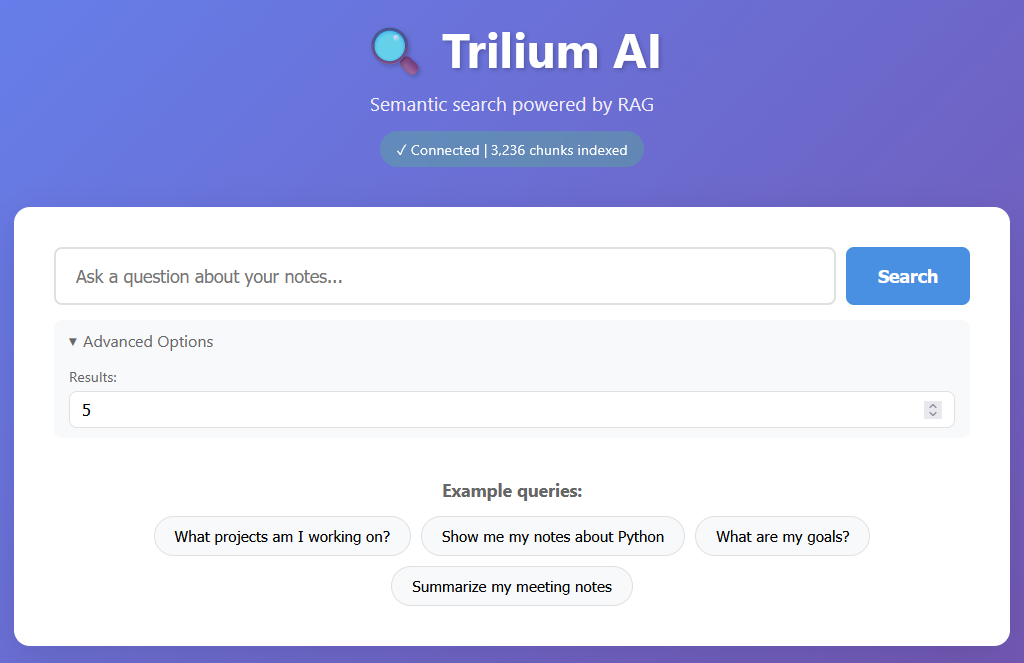
The results are not perfect, but they help narrow down relevant notes. One interesting aspect is that Trilium already has a web interface. This allows me to include source links in the answers, pointing directly to the original notes. I primarily use the web interface on my mobile device, safely through a private WireGuard tunnel.
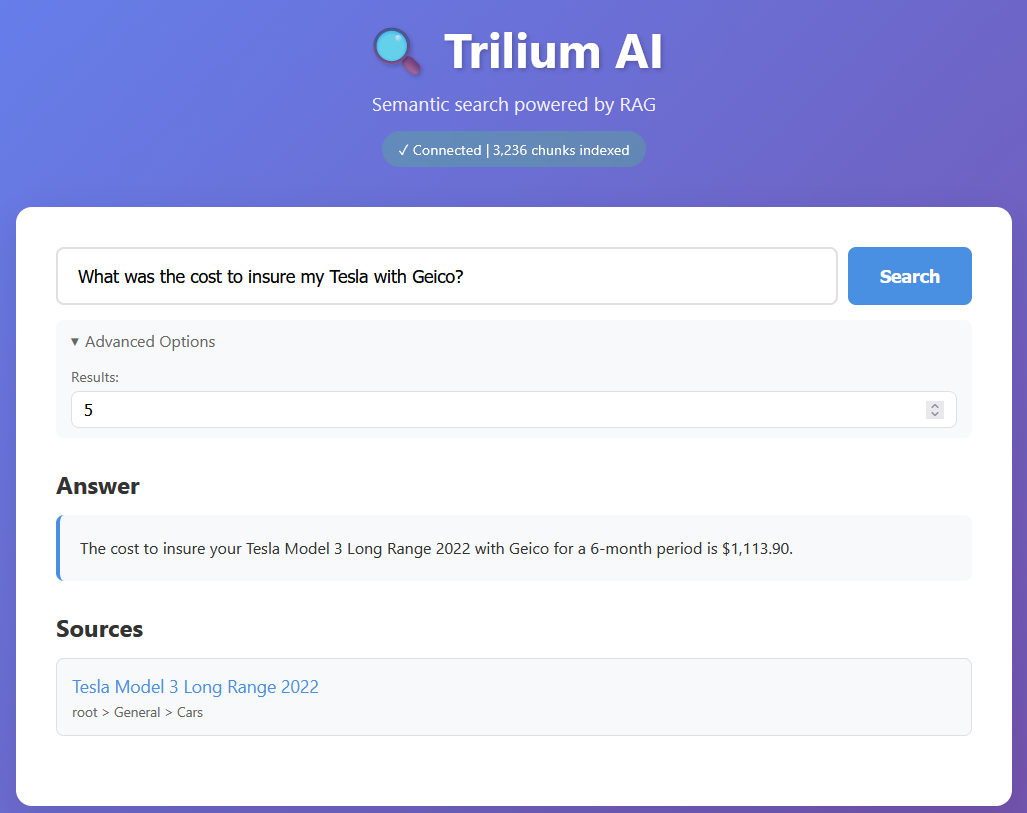
In this example, I asked about the cost of insurance with GEICO and Tesla. The query asks Weaviate for relevant notes, and the LLM (ChatGPT) extracts an answer from that subset, along with the source references.
Synchronization
Initially, I considered using events from Trilium’s private API. Instead, I opted for a simpler approach: a background job that runs a SQL query to retrieve all notes updated in the last five minutes. This approach is straightforward and works well for keeping the vector database up to date.
The initial indexing takes about 10 minutes for roughly 3,000 notes. After that, updates are very fast since I am not constantly adding or modifying notes.
Querying
The primary way to interact with the system is through the web interface. Before building the UI, however, I relied entirely on the Python CLI. For example:
uv run trilium-ai query "your question"
The web interface is thin and relies on an API endpoint that performs an HTTP POST request with the following payload:
{
  "query": "What are my notes about Python?",
  "top_k": 5,
  "provider": "openai",  // optional
  "model": "gpt-4-turbo"  // optional
}
For development purposes, you can also use curl:
curl -X POST http://localhost:3000/api/query \
  -H "Content-Type: application/json" \
  -d '{"query": "What are my project goals?"}'
Indexing to Querying
I relied on Claude for the indexing portion to avoid spending too much time learning Weaviate internals. Weaviate runs in a Docker container and has a dedicated collection for Trilium notes. A YAML configuration file exposes several options, including the embedding provider.
In my case, I use sentence-transformers, which runs locally and splits text by sentence boundaries with a configurable maximum chunk size. Running embeddings locally keeps costs low. Only the final LLM call, containing the user question and the retrieved context is sent to OpenAI. Since I query the system infrequently, the overall cost remains minimal.
The querying logic is similar to a standard ChatGPT request. It includes a system prompt, followed by contextual note excerpts retrieved from Weaviate, and finally the user’s question:
System: You are an AI assistant with access to the user's Trilium notes.

Context from notes:
[Note: {title}]
{chunk_content}

[Note: {title}]
{chunk_content}

User: {query}
Deploying
Another area where Claude helped significantly was deployment. It generated an installation script that ties all components together. The script allows configuration of ports, Trilium paths (including the database location), and other parameters. It also installs dependencies and configures the LLM API key.
Conclusion
This tool has proven useful as an extension to Trilium. Since I already keep a VPN tunnel open on my phone, accessing the system is not inconvenient. The solution is performant enough for my use case and remains cost-effective, making it a practical addition to my personal note-taking workflow.