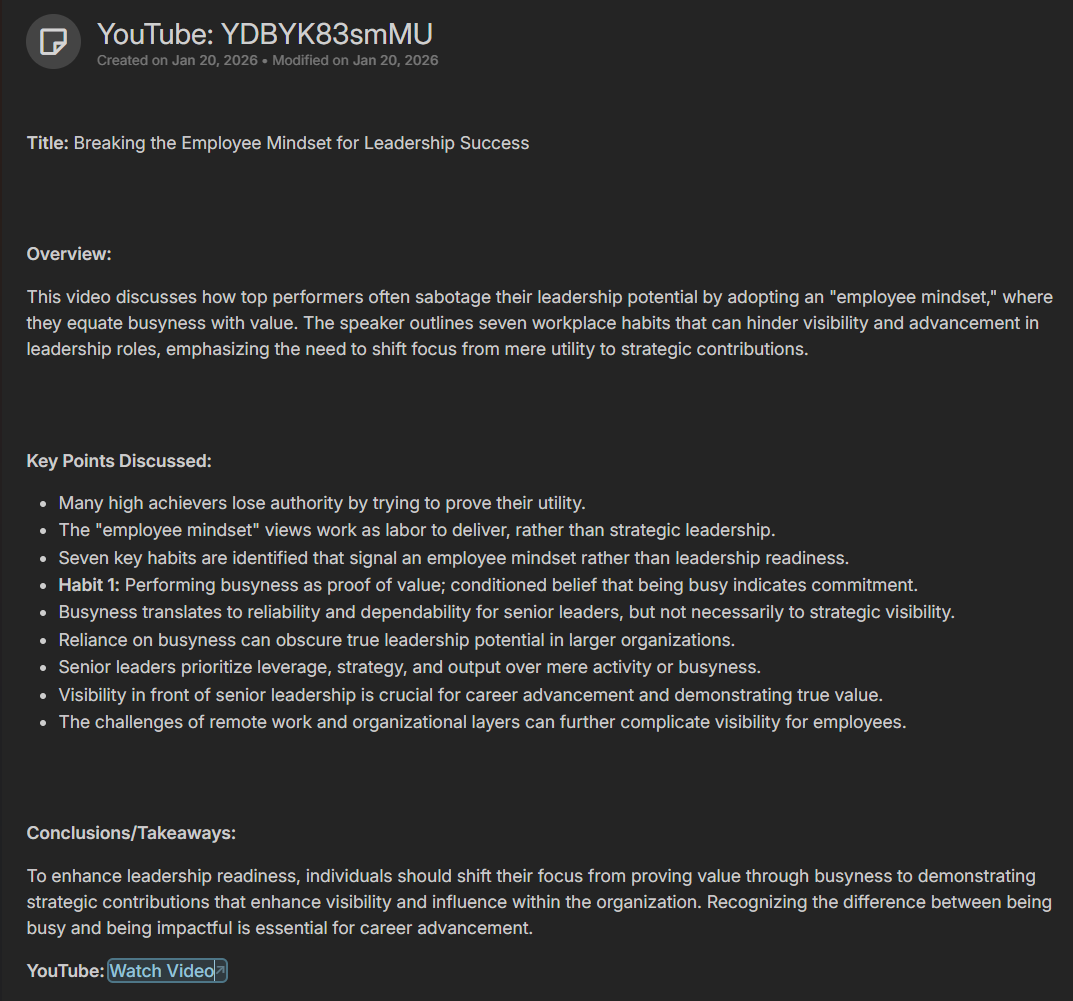
YouTube Streaming Radio with Auto AI Summary
Posted on:
The Context
I go to the office every day of the week. I enjoy being on-site, and my commute is only 15–20 minutes, perfect for listening to an audiobook you can find on YouTube. Many of the videos I like are roughly that length. However, streaming a YouTube video from my phone has a few inconveniences.
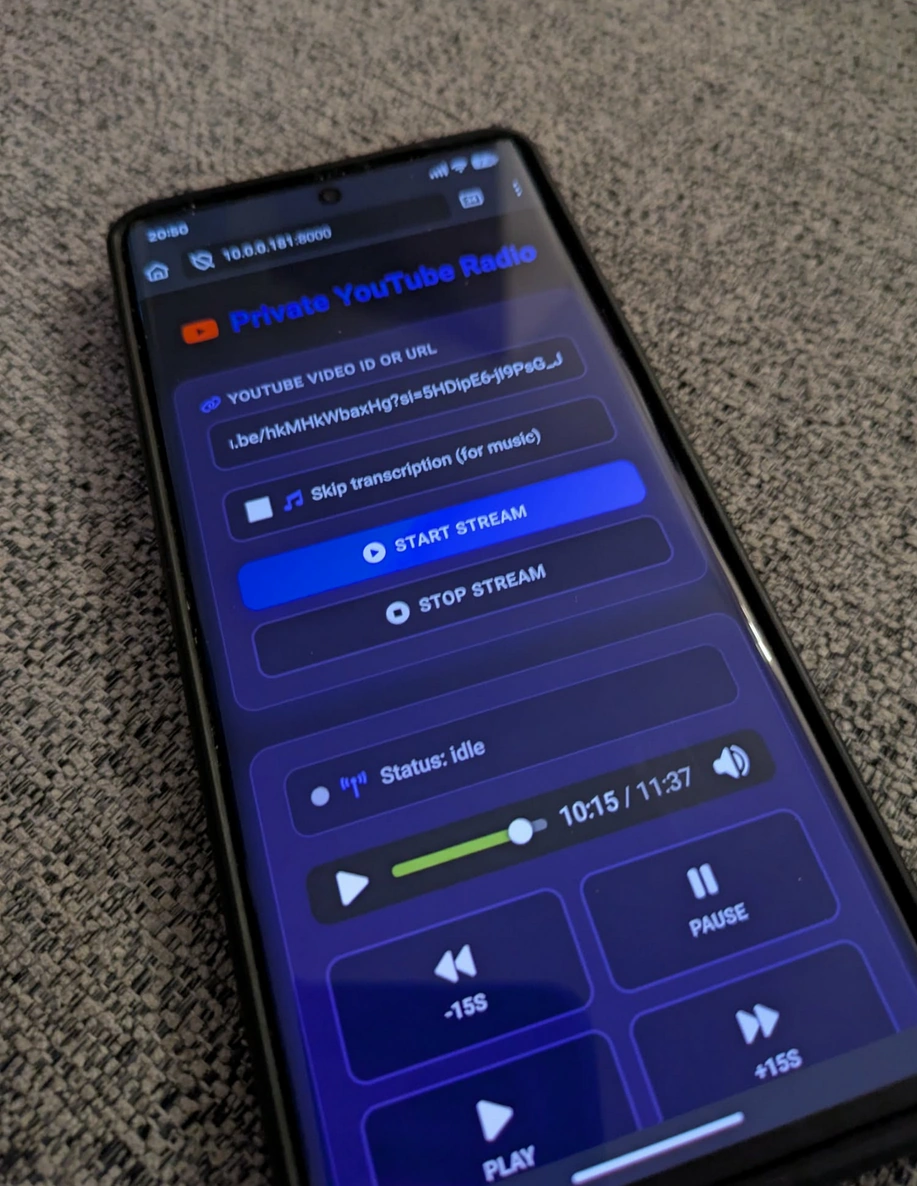
The first issue is that I don't want to download the full video; I only need the audio. Downloading the entire video is distracting and a waste of bandwidth.
The second issue is that I don't have a very good memory, and I like taking notes. When I arrive at work or get home in the evening, I don't always have time to sit down at my computer to write a summary.
Similarly, I like listening to podcasts before sleeping, but I can't write notes at night or reliably remember everything in the morning.
The Former Idea
My initial idea was to create a private page on my network where I could paste a YouTube URL (or the video's unique ID) and have the server download the audio and stream it to me via a webpage.
The Development of the Idea
As I built the system, I noticed a few things. First, I wanted full control over playback, so I added conveniences like pausing, adjusting speed, and quickly rewinding. This way, if I'm driving, I can control the audio with one click.
Then, I realized I could use AI to transcribe videos and generate summaries. Since I already host my personal notes in Trilium on my private server and Trilium has an API, the Python server can take the summary and automatically post it under a specific node in my notes.
The Architecture
The system starts by downloading YouTube content using the yt-dlp library. I store the MP3 files on disk to avoid re-downloading if I replay a video within a few days. Storing files also allows me to separate the downloading, transcription, and summarization tasks. The Python script uses subprocess to manage these tasks. For example, audio extraction relies on the ffmpeg tool.
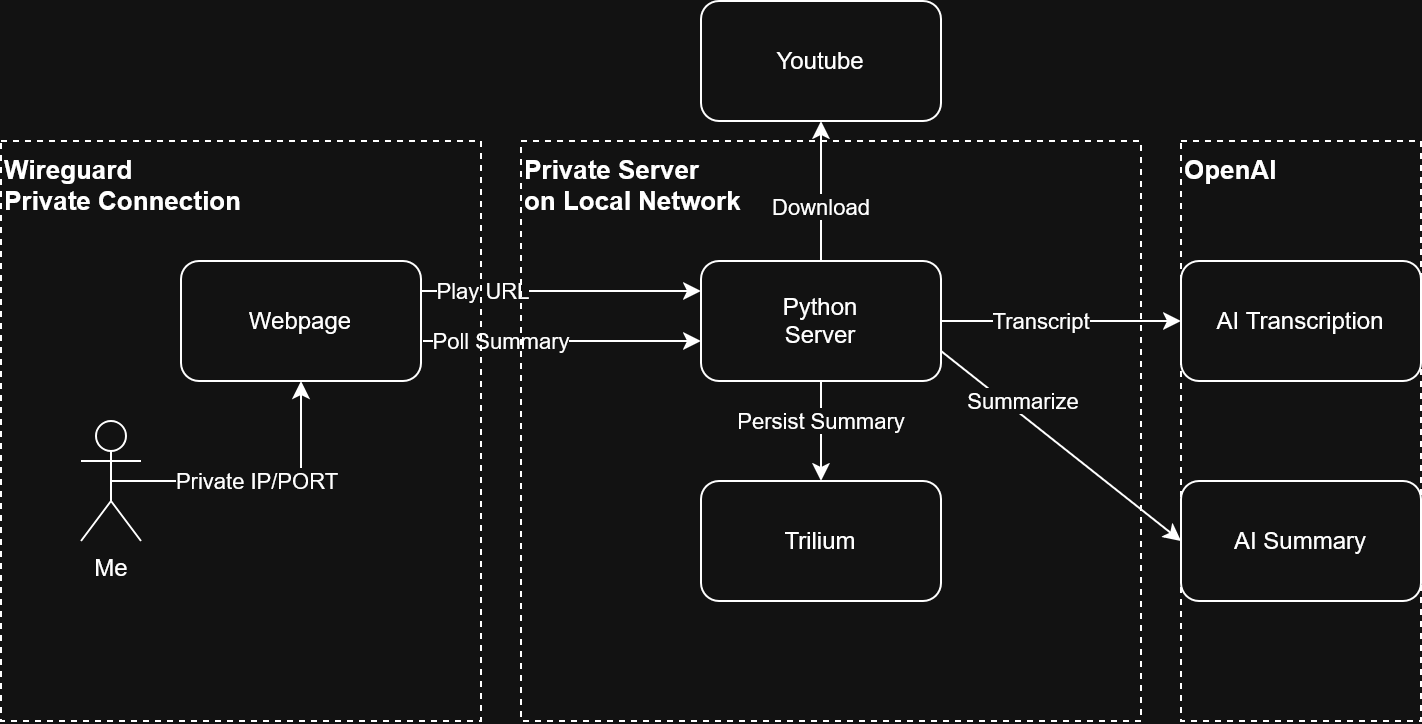
Transcription is optional since sometimes I listen to music or relaxing audio, which doesn't require AI. For podcasts and audiobooks, the web interface lets me check a box to enable transcription. I rely on OpenAI's cloud services for transcription, it costs less than $0.05 for 30 minutes, which is fast and cheap. Here's an example:
client = OpenAI(api_key=config.openai_api_key)
# <Removed retry code>
 with open(audio_path, "rb") as audio_file:
            response = client.audio.transcriptions.create(
            model="whisper-1",
            file=audio_file,
            response_format="text"
        )

    transcript = response if isinstance(response, str) else response.text
# <Error handling code removed>
Summarization is a simple HTTP call to ChatGPT, also very inexpensive. Here's a brief example:
client = OpenAI(api_key=config.openai_api_key)

try:
    response = client.chat.completions.create(
        model="gpt-4o-mini",  # Using cost-effective model
        messages=[
            {
                "role": "system",
                "content": "You are a helpful assistant that creates clear, concise summaries of video transcripts."
            },
            {
                "role": "user",
                "content": SUMMARY_PROMPT_TEMPLATE.format(transcript=transcript)
            }
        ],
        temperature=0.7,
        max_tokens=1000
    )

    summary = response.choices[0].message.content
Connecting to Trilium is straightforward. You provide a node ID (a unique identifier for a page), create a child page, and push the summary. Trilium supports HTML, so I prompt the LLM to output HTML for the summary. Trilium's REST API uses a token for authentication. Example:
headers = {
          "Authorization": config.trilium_etapi_token,
          "Content-Type": "application/json"
      }

# Step 1: Create the note (without attributes)
payload = {
    "parentNoteId": config.trilium_parent_note_id,
    "title": f"YouTube: {video_id}",
    "type": "text",
    "mime": "text/html",
    "content": content
}

url = _build_url(config.trilium_url, "etapi/create-note")
response = httpx.post(url, headers=headers, json=payload, timeout=30.0)
response.raise_for_status()

result = response.json()
note_id = result.get("note", {}).get("noteId")
The web interface polls every few seconds to check if the summary is available. I considered SSE but kept the HTML/JS simple. Trilium supports private metadata (called attributes), so I add #youtube_id=hkMHkWbaxHg to each note. This way, I can check if a summary already exists and avoid repeating it if I replay the same audiobook. From the UI, I can see the summary as soon as the audio starts streaming, or I can view it in Trilium notes, even without finishing the stream.
The streaming itself is real-time. If I lose connection between the start and end of the MP3, I only experience a short buffering delay of 30–45 seconds.
Security
Similar to many of my recent projects, I am hosting the code on my mini-PC, which is behind a WireGuard VPN accessible only from my mobile and internal network. I like this setup because it avoids dealing with SSL/TLS certificates and is very secure, since access is extremely limited. You can read more about my setup in my Trilium Note taking with Mini-PC
How it is?
For a first version, I LOVE IT! It works perfectly. A few issues remain: I track history locally in the browser, so multiple devices don't share full history. I also track each audiobook by YouTube ID, which can make the list harder to interpret, same for the notes. I plan to improve this by either generating a reasonable title in the LLM prompt or extracting the video title directly from YouTube.
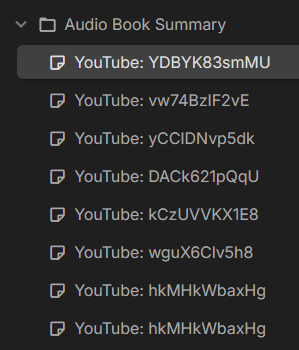
Trilium Screenshots
Trilium tree of notes:
Trilium summary: